Dezine DZ-GR100-WHT-BRW Men's Watch

Showing posts with label google tips and tricks. Show all posts

Tuesday, 20 May 2014

how to create own chrome theme

Posted on 02:32 by Unknown

how to create own chrome theme:

Google chrome is one of the best browser in world because it's user friendly interface
and it loading time consumption.here the simple steps to make your chrome browser more
beautifully with your own theme.

Google provides free chrome application to create themes

STEP 1:
           click here to install Google chrome theme creator. STEP 2:
            here click on + FREE button then select ADD from popup window it will automatically reload
            your browser and redirected to chrome://apps page here you can see my chrome theme application
how-to-create-themes-for-chrome


STEP 3:
           now click on chrome theme application --->then select START MAKING THEME
how-to-create-themes-for-google-chrome

STEP 4:
            click on upload window then select your own image from your system
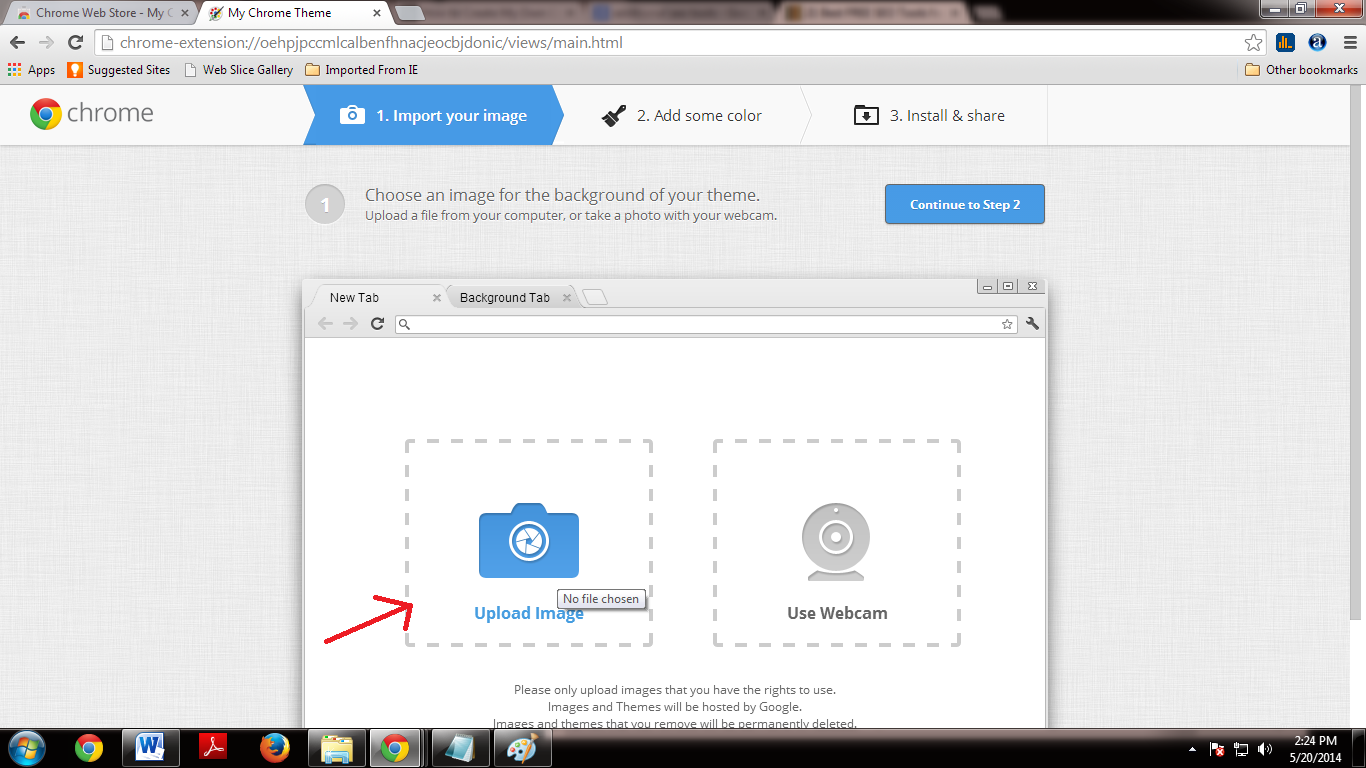
           
how-to-create-themes-for-google-chrome-technology-tips
        then click on Adjust position tab then select Fit to screen

STEP 5:
            now select preview mode.then click on continue to Step2 button
how-to-create-themes-for-google-chrome-free

how-to-create-themes-for-google-chrome-tech tips and tricks

STEP 6:
           here you can edit toolbar color,new tab color and frame color after completion of editing process
          click on continue to Step 3 button
how-to-create-themes-for-google-chrome-tricks
STEP 7:
            here enter name for your theme then click on make my theme button
            it will create your theme now you can install and share your own theme...

Thursday, 15 May 2014

how to set Google as my homepage in chrome

Posted on 05:01 by Unknown
how to set Google as my homepage in chrome
some time you are interrupted by some unwanted tool bars like ASK.it displays some ads and it redirect your URL's here the simple steps to uninstall ask  or any other toolbar and make GOOGLE as your home page URL

STEP 1:
      Go to Google chrome setting window
how-to-set-google-as default-home-page

STEP 2:
      under that click on Show advanced settings...
how-to-set-google-as default-home-page-in-chrome

STEP 3:
           then click on Reset browser settings
STEP 4:
          now chrome sets Google as your default home page and automatically uninstall all tool bars.

STEP 5:
      if you wish to set any-other page is your default URL

STEP 6:
       scroll up and go to search then select your default search engine from drop down list
how-to-set-google-as-default-home-page-in-chrome

Saturday, 22 March 2014

How to convert PDF to word free software

Posted on 06:57 by Unknown
How to convert PDF to word document:
uniPDF(PDF to word converter):
UniPDF is a small and free utility tool  that lets you convert your PDF files to Word documents with speed and 100% accuracy. It also offers you to conversion of PDF files to RTF, JPEG, PNG, GIF, HTML and plain text. While it lacks a plethora of features, it is good at what it promises to do; convert PDF files.
convert PDF to word free software


Both of these programs run on Windows 8.1, Windows 8, Windows 7, Windows Vista and Windows XP. It is interesting to note that PDF to word conversion is possible only if the PDF file is not a scanned image and was created as a text document.

Thursday, 13 February 2014

How to change Gmail password

Posted on 22:19 by Unknown
How to change Gmail password:
if you wish to change your Gmail password to something different here the simple  steps to change your Gmail password and  also it is more important to keep your Gmail account more secure.
How_to_change_Gmail_password

STEP 1:
       Login to your Gmail account

STEP 2:
      click on setting gear icon (is in write top corner) then select setting from displayed items
How_to_change_Gmail_password

STEP 3:
How_to_change_Gmail_password

            now setting window will appear under that  select Accounts from top menu items
     
STEP 4:
          then select Change password option from change account settings


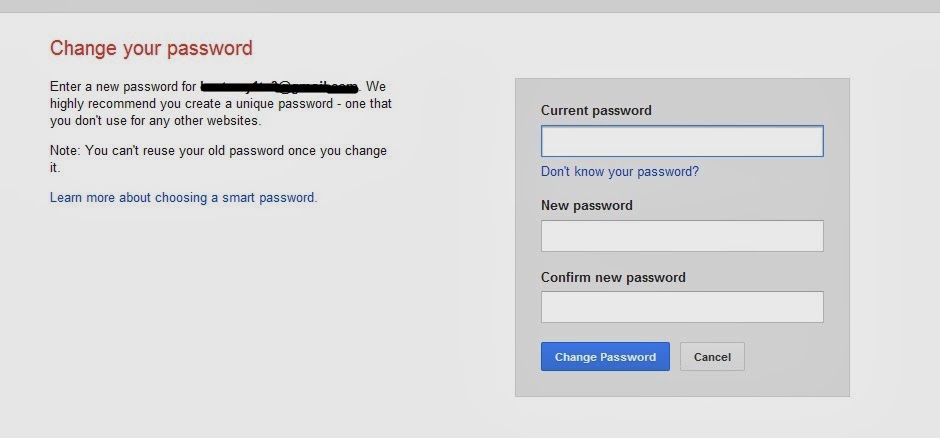
STEP 5:
           now new window will appear here  you are requested to Enter Current password and new password

How_to_change_Gmail_password
      

Wednesday, 11 December 2013

How to get any software serial key using Google...Google tips and tricks for Google users using 94FBR 

Just follow the steps as instructed below:
free-download-all-software-keys

STEP 1:
1) Go to Google.com

STEP 2:
2) type this syntax in search bar " 94FBR"

STEP 3:
3) Replace Product name with desired software and leave a space then type 94FBR…see example:
94fbr avast
94fbr idm
94fbr winrar
94fbr adobe flash
94fbr adobe Photoshop 
etc...
4) Press enter, that’s it !


09 10 /